


Your Guide to Convesso
Thank you for choosing to stay at Convesso. The staff and management of Corporate Keys would like to wish you a pleasant stay with us. Please don’t hesitate to contact the Corporate Keys guest services team by email or phone if there is anything we can do to help.
Your postal address is:
Convesso
Apartment (insert your apartment number)
8 Waterside Place
Docklands VIC 3008
AUSTRALIA
Air Conditioning and Heating
Every apartment has its own individually controlled heating and air conditioning to allow you to regulate the property temperature for your own comfort.
Recommended temperatures: Heating 20c / Cooling 22c.
Please turn off heating and cooling when not in the apartment to reduce power usage. To change settings, please use the remote located in your apartment.
Building Entry
Entry into Convesso is via a secure access swipe. The building has one main entrance on Waterside Place, which residents must use their swipe cards to enter. Please note that your access swipe is required every time you enter the building.
Visitors to your apartment
Visitors can be buzzed in via the apartment intercom system at the main entrance. Please note that your access swipe is required every time you enter the building.
Building Management
Convesso is a residential apartment complex governed by a Body Corporate Committee. Please take a few minutes to review the Body Corporate Rules, which are attached at the back of this section. Convesso has a full-time Building Manager, who can be contacted during business hours on 0419 751 414.
Convesso also provides a Concierge service, located on the ground floor in the lobby. Concierge can be contacted on 0413 638 966 24 hours a day, seven days a week and all public holidays. Outside these hours, security officers will be located either on the Concierge desk or patrolling the building.
Note: At no time should you contact the Building Manager or Concierge for apartment-specific maintenance issues, as they will be unable to help.
Building Rules
In signing your Licence to Occupy or accepting keys for your stay, you have agreed to abide by the Body Corporate Rules that apply to this building. If you wish to review this document, please find it attached as part of this Guide.
Check Out Time
Check out time for all Corporate Keys apartments is 10:00 am.
Cook Top, Range Hood and Oven
Every cooktop is fitted with a range hood. Please ensure this is used when cooking. Smoke alarms activated by guests due to a failure to use the range hood incur costs for attendance of the Metropolitan Fire Brigade; these costs are payable by the guest. Certain models of oven require the clock to be set correctly. If your oven will not heat, please check that the clock is set before contacting Guest Services. If the oven will not turn off, ensure the door is closed properly and that no cooking function is selected. If the oven shuts down, it may have overheated. It will reset itself, but you will need to reset the clock (depending on the model, the oven may not function again until the clock is reset).
Some cooktop models have a safety switch installed on the splashback wall directly behind the cooktop. These safety switches resemble a light switch and must be in the “on” position for the cooktop hobs to operate. If you require the full manual, please contact Guest Services. Alternatively, most appliance manuals can be downloaded from the internet.
Delivery Guidelines
Please be reminded that, for security reasons, delivery personnel are not permitted to go up to residential levels.
Residents are kindly requested to:
• Come down and collect their deliveries from the entrance, or
• Instruct delivery personnel to leave items with the concierge.
Should you require assistance, please feel free to liaise with the Concierge staff.
Exceptions will be made for residents who are unwell or in quarantine. In such cases, the concierge will accompany delivery personnel when groceries are delivered.
Dishwasher
A starter pack of dishwashing tablets/powder is located in the cupboard under the sink in the kitchen. Additional tablets or powder can be purchased from your local supermarket. Please use only powder or tablets specifically marked for dishwasher use in the dishwasher. Liquids will damage the machine,and guests will be liable for any resulting service charges.
If you require the full manual, please contact Guest Services. Alternatively, most appliance manuals can be downloaded from the internet.
Emergency Evacuation Procedures
Please refer to the Emergency Evacuation Plan located next to the lifts on each floor. Please contact the Concierge or Building Manager with any questions regarding evacuation procedures. The Emergency Evacuation Plan is also located at each entry to the building.
Housekeeping
The linen in your apartment has been laundered prior to your arrival. If you have requested housekeeping services, Guest Services will contact you by email to confirm the schedule for this service. If no housekeeping service has been requested, subsequent laundering of linen is your responsibility for the duration of your stay. Please ensure that linen is cared for and that white towels and sheets are not washed with coloured items.
Please note – do not hang any wet laundry across furniture. Doing so will cause damage to the furniture, for which guests are liable. Should you not have a housekeeping service and later wish to request one, please contact Guest Services.
Ironing Facilities
An iron and an ironing board are located in the laundry area/wardrobe of your apartment.
Lifts / Elevators
To activate the lift, scan your security swipe and select the floor number you wish to go to. Your swipe will only be programmed to access the floors that you are eligible to enter.
Mail - Incoming
Your personal mailbox is located next to the concierge desk. A building fob is required to enter the mailroom. Please forward any mail for past tenants to our office for redirection. No stamp is required for forwarding mail; simply cross out the current address and readdress to:
Corporate Keys
31/3 Westside Avenue
Port Melbourne
VIC 3207
When vacating your apartment, remember to redirect your mail to your forwarding address. This can be done online or in person. Please visit http://auspost.com.au for details.
General Maintenance and Property Condition Reporting
Your apartment has been inspected by our housekeeping team prior to your arrival. If you notice any damage upon check-in that may have been overlooked, please notify our Guest Services team at [email protected] within the first few days of your stay. This will help us log the issue and prevent any complications during checkout.
Should you experience any equipment failure or difficulty in your apartment, please contact Guest Services on 9279 7200 or email [email protected]. For routine maintenance, office hours are 9:00 am to 5:00 pm Monday to Friday. Should you require emergency maintenance assistance out of these hours, please call the office number above and follow the prompts to be connected with our on-call emergency maintenance personnel.
At no time should you contact the Building Manager or Concierge for apartment-specific maintenance issues, as they will be unable to help.
Emergency Maintenance requiring urgent after-hours assistance is defined as:
• Blocked or broken toilet systems;
• Serious roof leaks;
• Gas leaks;
• Dangerous electrical faults;
• Flooding or serious flood damage;
• Serious storm or fire damage;
• Failure or breakdown of any essential service or appliance for hot water, water, heating or cooling;
• Failure or breakdown of gas, electricity or water supplies;
• Any fault or damage that makes the premises unsafe or unlivable.
Microwave Oven
No metal utensils, metal plates, oyster shells, tin foil or any other metal object should be placed in the microwave or convection microwave at any time.
Noise
In consideration of other guests, please ensure that your television, stereo and radio volumes are at a comfortable level so as not to disturb your neighbours. When leaving your apartment for an extended period, if you have an alarm clock, ensure the alarm is off, as it will sound for one hour.
Recreational Facilities
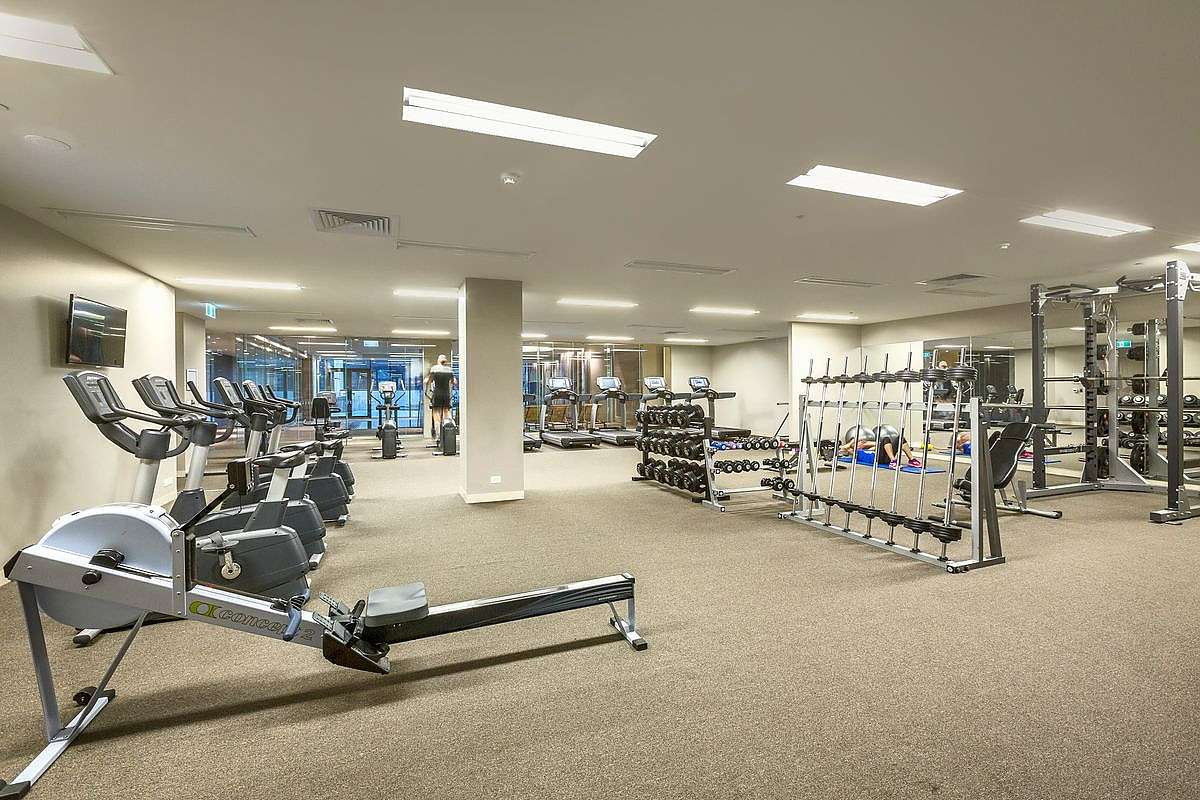
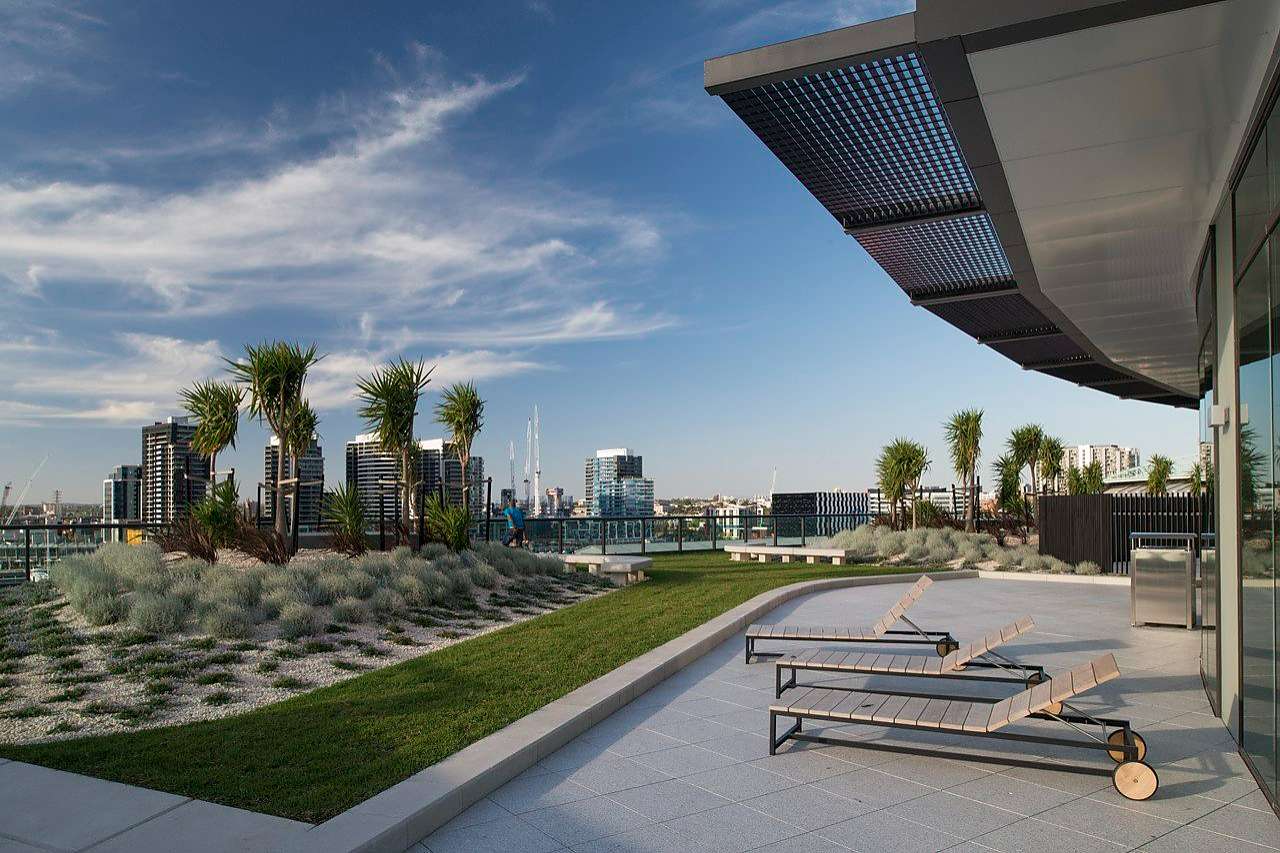
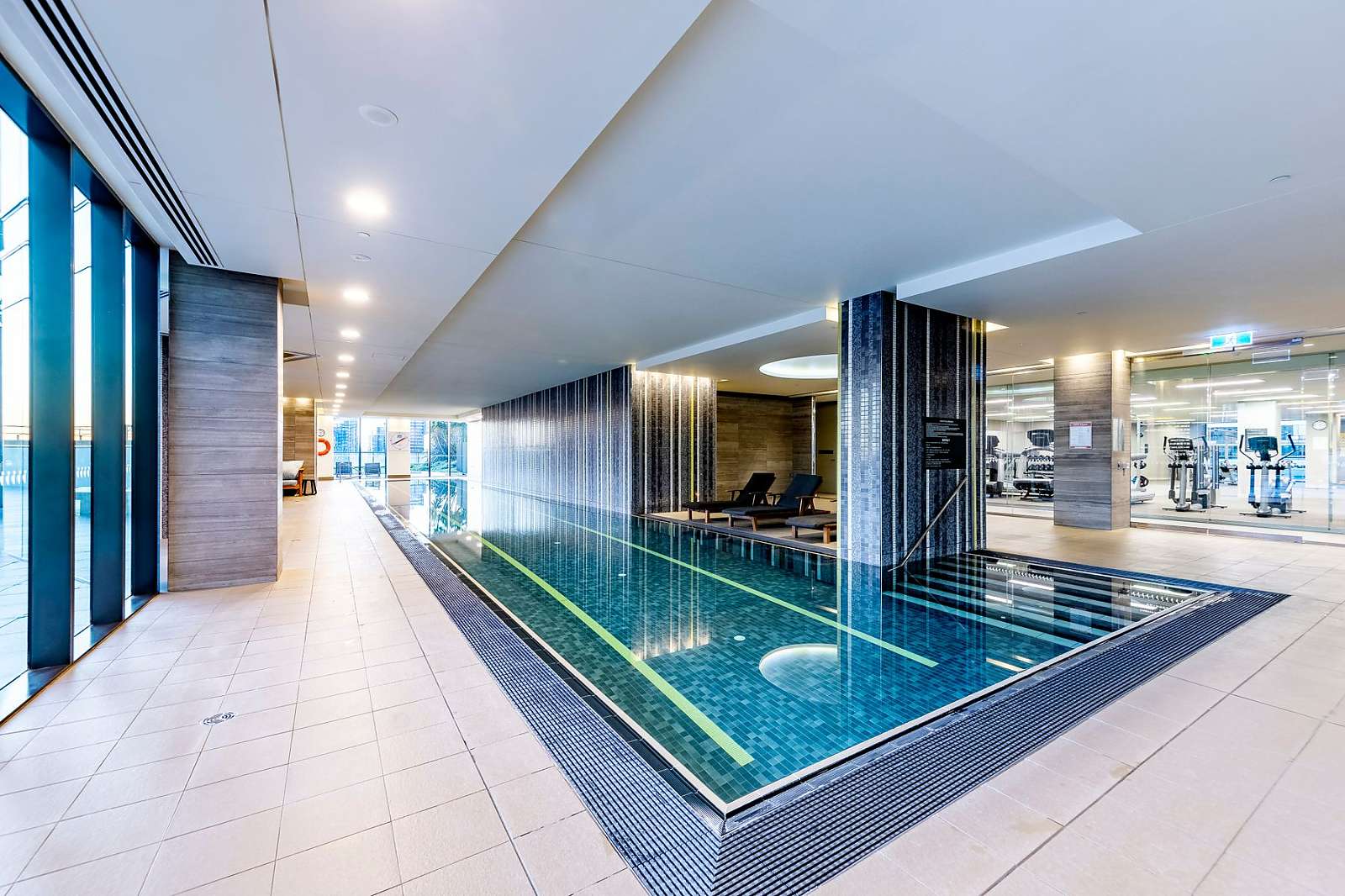
Facilities hours are 5:00 am – 11:00 pm. Residents have access to a range of recreational facilities, including a 25-metre heated pool, spa, sauna, gymnasium, residents’ lounge, cinema room, Sky Garden with BBQ facilities, and a business centre. The Level 7 skybridge connects Convesso to Concavo, providing shared access to some amenities.

Rubbish / Garbage
Your residential complex provides a waste disposal chute located on ground level and Level 6. You must not leave, deposit or throw garbage onto Common Property except in a receptacle or one specifically provided for that purpose. Recyclable items, being without limitation, paper, cardboard and plastic, must be stored in the designated area. All cardboard boxes and packaging must be broken down and neatly packed in the garbage area. Cardboard boxes are not to be disposed of via the garbage chute.
Smoking
All Corporate Keys apartments are non-smoking. Should you or any of your visitors wish to smoke, please use the balcony (if available) and keep the door to the apartment closed to prevent smoke from entering the apartment. If you have a balcon,y an ashtray has been provided for your use. Please dispose of cigarette butts thoughtfully. Do not throw cigarette butts over the balcony.
All apartments are fitted with smoke detectors. Smoking in the apartment will trigger an automatic call to emergency services. Emergency services may charge for their service if alarms are triggered by the occupant or their visitors smoking inside. Any such charges will be payable by the guest.
Things to do in Melbourne.
Looking for things to do, places to go, events, restaurants or attractions near Convesso? Check out our Things To Do pages. (www.corporatekeysaustralia.com.au/melbourne/things-to-do).
Washer/Dryer
A starter pack of laundry powder is provided on your washing machine. Additional laundry powder can be purchased at your local supermarket. Please ensure when purchasing additional laundry powder that you only purchase those products marked for FRONT-LOADING washing machines. A washing machine and dryer are provided in your apartment (note that some apartments have a combined washer/dryer). For the full manual contact Guest Services. Alternatively, most appliance manuals can be downloaded from the internet.

